Currencies
This page is used to manage the currencies available in Caramel. You can view the list of existing currencies, create a new one, edit an existing one, or remove a currency when it is no longer needed.
The currencies defined here are used across other parts of the system, including pages and forms in modules such as Accounting, Orders, and related areas.
The Currencies page is a simple management page with a straightforward results table. There are no filter tools on this page, so all available currencies are shown in a basic list.
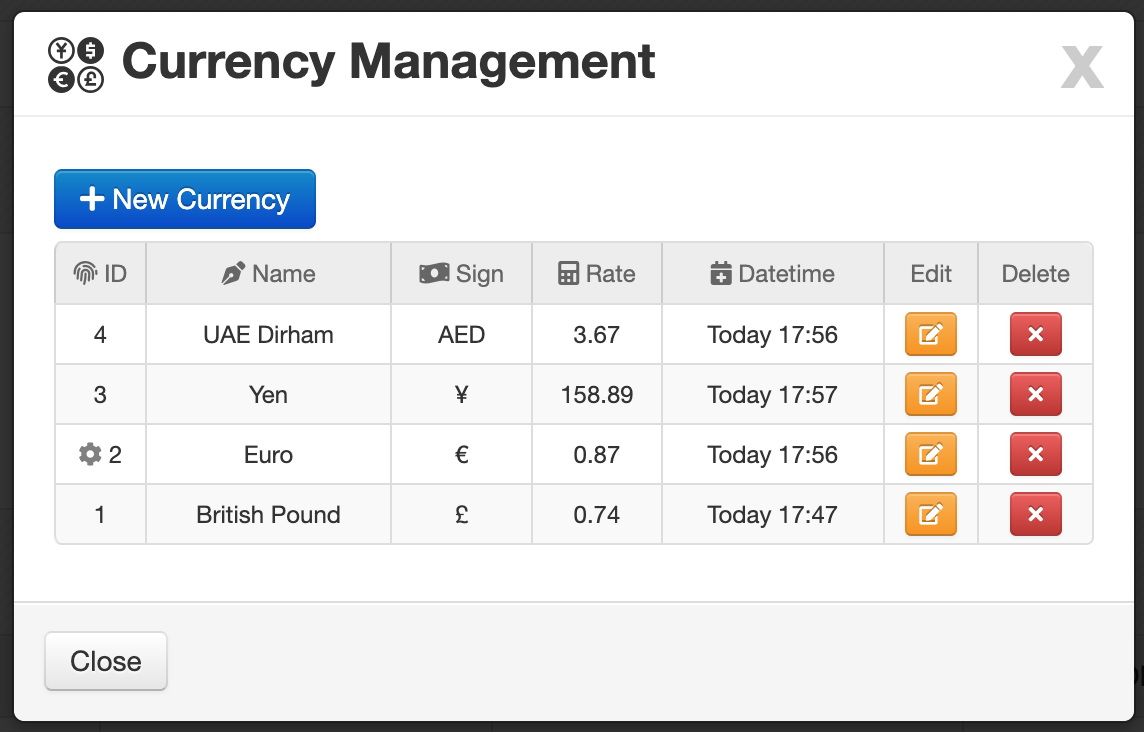
Currencies List
Each row in the table represents one currency record.
- ID: Unique identifier of the currency.
- Name: Currency name.
- Sign: Currency symbol such as
$,€, or similar. - Rate: Conversion rate based on the default currency of the software.
- DateTime: The date and time when the currency was created or last updated.
Default Currency Indicator
If a row is marked with the icon in the ID column, it means that currency is currently set as the default currency.
The default currency is commonly used as the base reference in other forms and calculations (Payments, Credits, etc.)
Row Actions
At the end of each row, there are small action buttons for managing the selected currency.
- Edit the selected currency
- Delete the selected currency
Create a New Currency
To add a new currency, click the New Currency button.
A form will open where you can enter the currency details.
Currency Form Fields
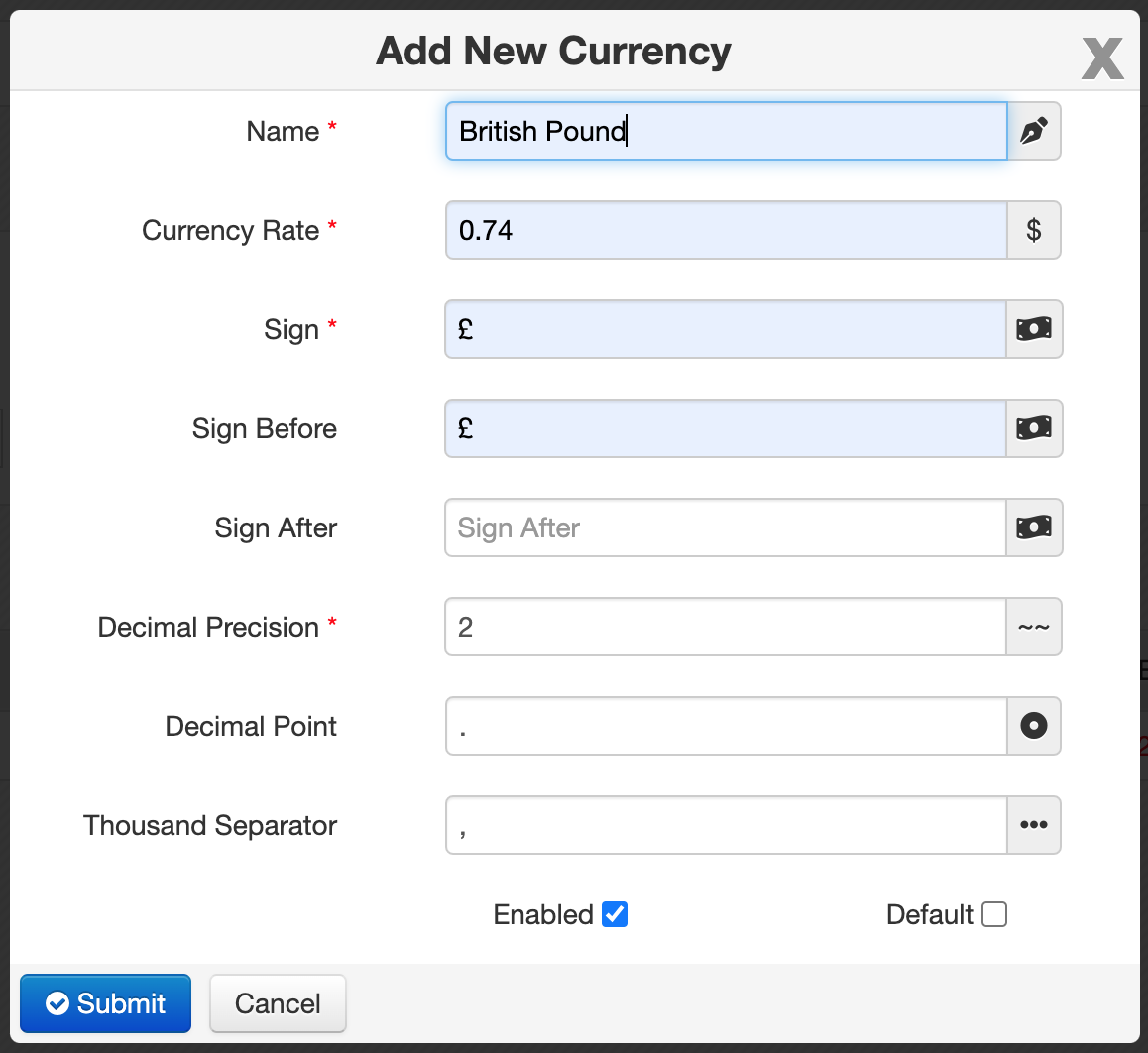
The form includes the following fields:
- Name *: The display name of the currency.
- Currency Rate *: The conversion rate relative to the software's default currency.
- Sign *: Currency symbol such as
$,€, or£. - Sign Before: Enable this when the currency symbol should appear before the amount.
- Sign After: Enable this when the currency symbol should appear after the amount.
- Decimal Precision *: Number of digits shown after the decimal point. The default value is based on current system settings.
- Decimal Point: Character used as the decimal separator. Default:
. - Thousand Separator: Character used to separate thousands. Default:
,
marked with a red asterisk * are required.
Additional Options
The form also includes these checkboxes:
-
Enabled
Enabled by default. Use this option to activate or deactivate the currency. -
Default
Sets the currency as the default currency of the system. This helps speed up data entry in other pages and forms.
Changing the default currency can affect how currency values are prefilled or referenced in other parts of Caramel.
When to Use This Page
Use the Currencies page when you need to:
- add a new currency for daily operations
- update a currency name, sign, or rate
- deactivate a currency without removing related data
- set a more commonly used currency as the default
Related Pages
You may also use currency data in other areas of Caramel, depending on your workflow, such as:
- Accounting forms
- Order-related pages
- Other financial or transactional sections