Overview
This page introduces the overall structure and logic of the Accounting module in Caramel.
The Accounting module is a standalone financial workspace, but it is also closely connected to other parts of the system. Modules such as Orders rely on Accounting for invoice registration, payment tracking, and balance settlement.
In practice, this module covers a wide range of financial operations, from daily income and expense records to payroll, account balances, financial reports, dashboard charts, and customer/vendor status analysis.
Layout and Navigation
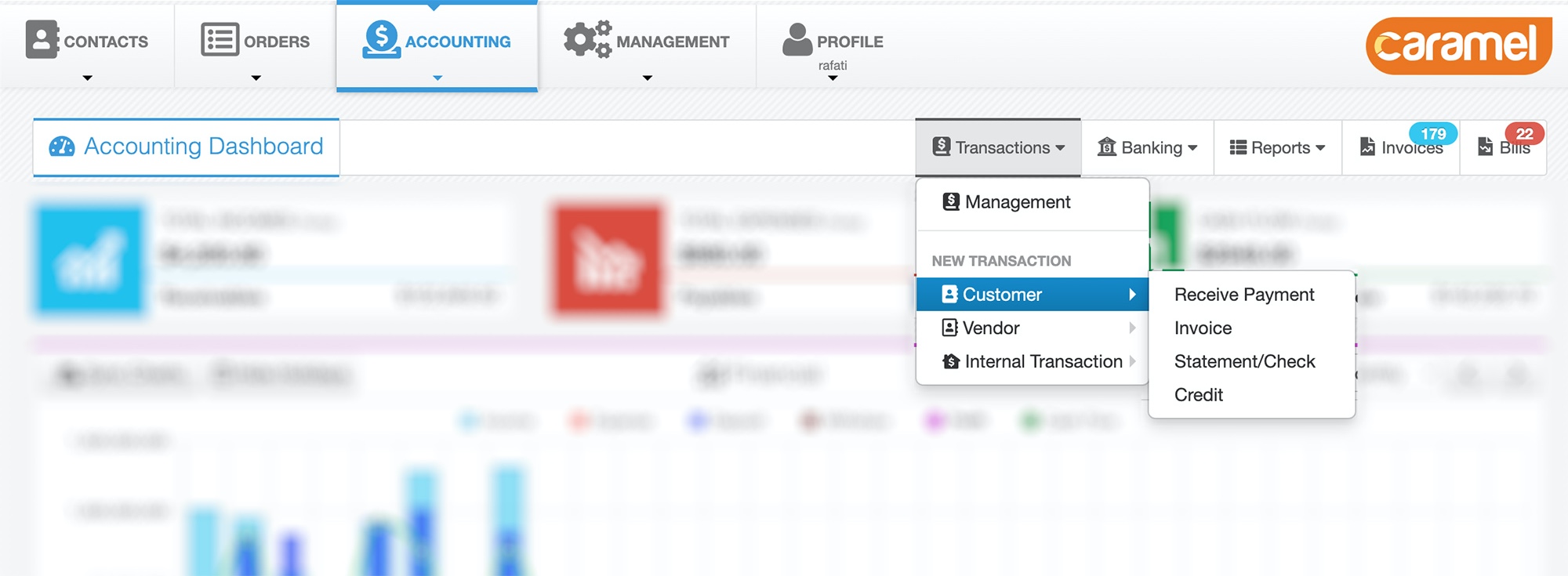
The Accounting module uses its own internal navigation layout.
In addition to the main application top menu, there is a second top menu inside Accounting that helps you move quickly between accounting pages without leaving the module. This top menu stays visible while the main page content changes based on the section you open.
On the left side of this menu, the Accounting Dashboard button opens the main dashboard.
The dashboard is the main landing page of the module and shows financial summaries, charts, and quick insights.
On the right side, the main sections are:
- Transactions
- Management
- Customer
- Invoice
- Receive Payment (Deposit)
- Statement / Check
- Credit
- Vendor
- Bill
- Make Payment (Withdraw)
- Statement / Check
- Credit
- Internal Transactions
- General Revenue / Payment
- Account Transfer Money
- Banking
- Transfers
- Payment Inquiry
- Accounts
- Taxes
- Payment Methods
- Currencies
- Reports
- Customers Report
- Vendors Report
- Invoices
- Bills
Accounting Logic in Caramel
To work comfortably in this module, it helps to first understand one core concept:
In Caramel, almost all accounting data is built around transactions.
This means the system does not treat accounting as a set of unrelated pages. Instead, most financial actions are recorded as transaction-based documents that affect balances, debts, credits, payments, and reports.
Because of this, understanding transaction types is the key to understanding the entire Accounting module.
Transactions
Transactions are the core of the Accounting module.
Most accounting records in Caramel are stored as transaction documents. This includes invoices, bills, payments, credits, statements, checks, and internal money movements.
The Transactions section is generally divided into three groups:
- Customer transactions
- Vendor transactions
- Internal transactions
The Management page allows you to search, review, and report on all transaction types in one place.
The main financial chart in the dashboard also uses transaction data as its source.
Customer Transactions
Customer-related transactions usually include:
- Invoice
- Receive Payment / Deposit
- Statement / Check
- Credit
These transactions are used when the customer owes you money, pays you, receives balance adjustments, or has credit in the system.
Vendor Transactions
Vendor-related transactions usually include:
- Bill
- Make Payment / Withdraw
- Statement / Check
- Credit
These transactions are used when you owe money to a vendor, make a payment, receive a return from a vendor, or apply balance adjustments.
Internal Transactions
Internal transactions are used for bookkeeping activities that are not directly tied to a customer or vendor invoice flow.
These usually include:
- General Revenue / Payment
- Account Transfer Money
They are useful for internal financial operations such as manual revenue records, internal expenses, and money transfers between your own accounts.
Banking
The Banking section is used for core accounting setup and financial infrastructure.
This area is where you define important accounting components such as:
- Accounts
- Taxes
- Payment Methods
- Currencies
It also includes operational pages for:
- Money transfers between accounts through Transfers
- POS or online payment tracking through Payment Inquiry
Before using advanced accounting workflows, it is usually a good idea to review your Accounts, Payment Methods, and Currencies setup.
Reports
The Reports section provides dedicated reporting pages for customers and vendors.
These reports help you review financial status using your own filters and criteria. Depending on the page and configuration, you can analyze outstanding balances, payment behavior, account activity, and other financial patterns.
Available report pages include:
Invoices
Invoices represent sales documents and revenue records.
An invoice can be used for different types of income, including:
- product sales
- service sales
- amounts receivable from customers
- loan profit or similar income entries, depending on your workflow
An invoice is recorded as a financial document, and one or more payment records can later be registered against it through Receive Payment operations.
For more details, see the Invoices/Bills page.
Bills
Bills represent purchase documents and expense records.
A bill can be used for different types of costs, including:
- purchasing goods
- purchasing services
- payroll or compensation registered under a vendor record
- loan-related expense or interest, depending on your workflow
A bill is also recorded as a financial document, and one or more payment records can later be registered against it through Make Payment operations.
For more details, see the Invoices/Bills page.
Real Payments vs Credit
Invoice and Bill settlement does not always need to happen through a real money movement.
In Caramel, settlement can happen in two different ways:
- by recording a real payment transaction
such as Receive Payment or Make Payment - by recording a non-cash adjustment
such as Credit
This gives you flexibility for cases such as overpayments, future offsets, internal settlements, or agreed non-cash balance corrections.
The exact labels, available actions, and accounting flows may vary depending on your setup, enabled features, and business process design.