Transfers
This page is used to review, search, and manage money transfers between accounts in Caramel.
The transfer logic itself is already explained in Transactions (Instructions). You can also find and manage the same records from Transactions (List & Search), including creating and editing Transfer transactions there.
However, the Transfers page is designed for a simpler workflow: quick reporting, easier filtering, and faster registration or editing of transfer records.
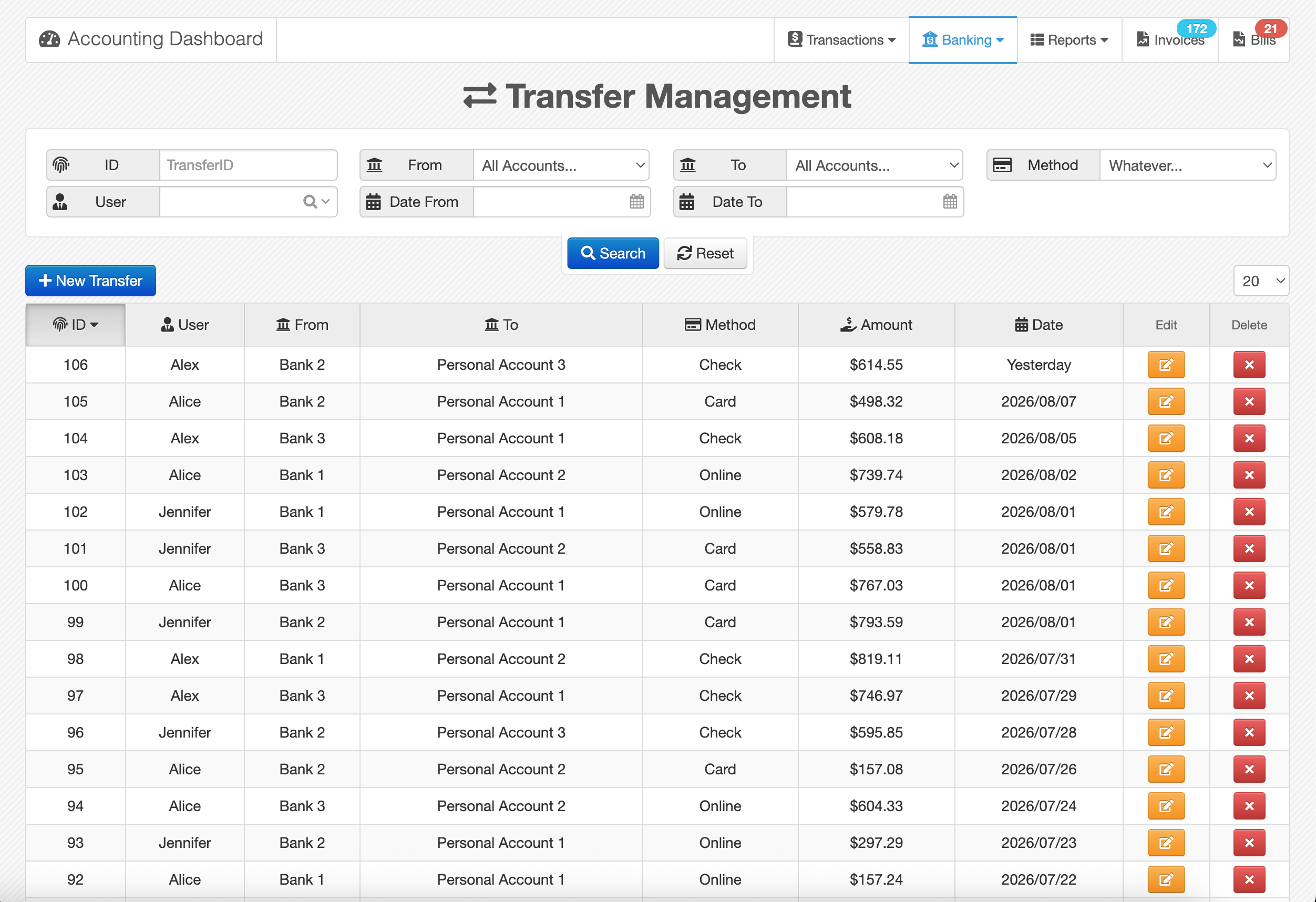
Page Layout
Like other reporting pages in Caramel, this page has two main sections:
- a filter box for narrowing down results
- a results table for viewing matching transfers
Each filter includes its own label, so you can apply the criteria you need and reach the intended report more quickly.
The Reset button clears all applied filters and returns the page to its default search state.
Results Table
The results table includes a standard header row and sortable columns.
Available columns are: ID User From To Method Amount Date
Click any column header to sort the table based on that field. Clicking the same header again changes the sort direction between ascending and descending.
Row Actions
At the end of each row, there are two small action buttons:
- Edit the selected transfer
- Delete the selected transfer
Creating a New Transfer
Use the New Transfer button to register a new transfer.
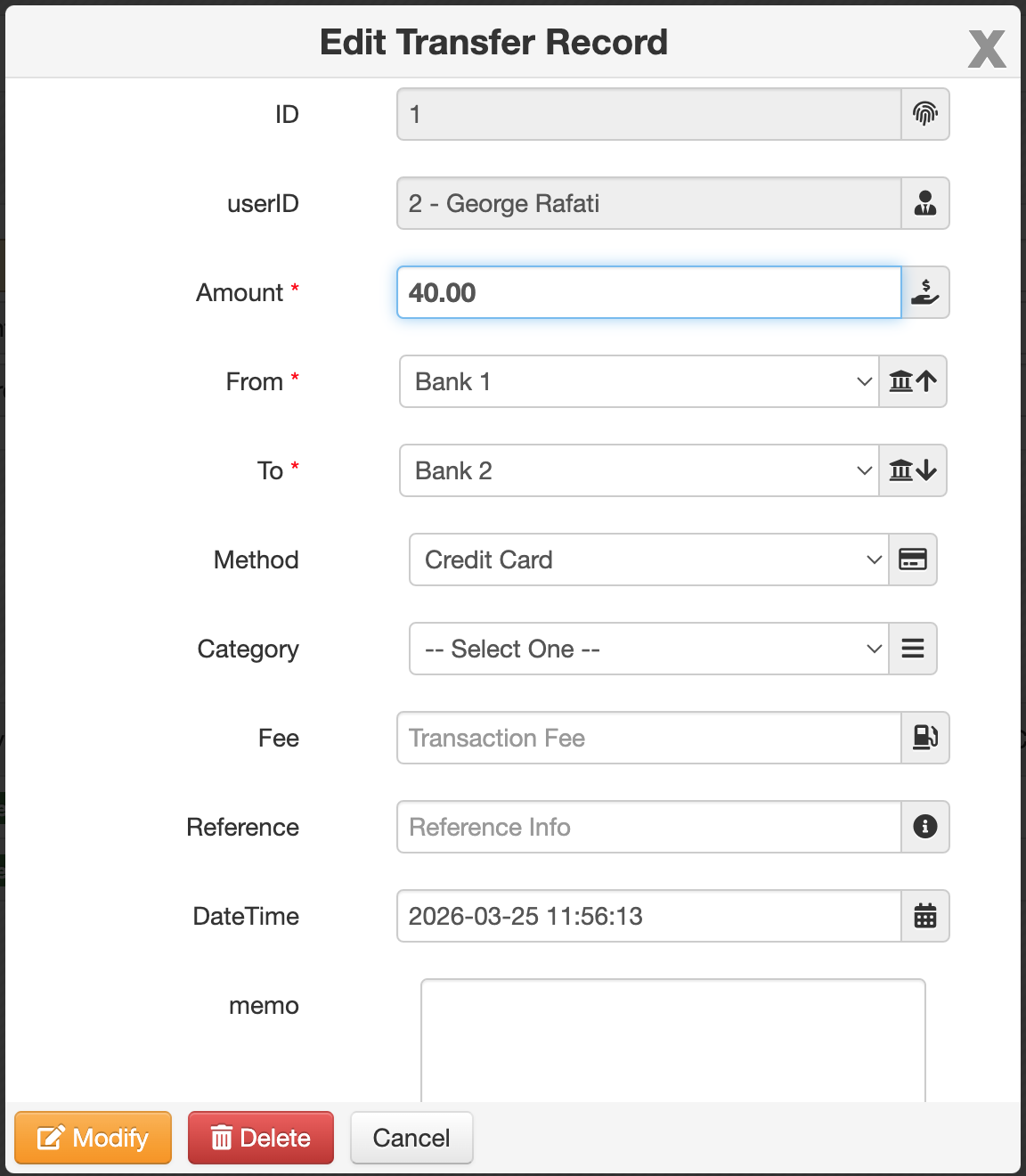
The form includes the following fields:
- Amount *: The transfer amount.
- From *: The source account.
- To *: The destination account.
- Method: For example: Online, Cash, or other available payment methods.
- Category: Used for classification.
- Fee: Used when the transfer includes an additional charge.
- Reference: Used for an external reference, tracking code, or related identifier.
- DateTime: The date and time of the transfer.
- Memo: Additional notes for the record.
Fields marked with * are required.
How Transfers Are Recorded
When a Transfer is saved, Caramel automatically creates two financial transactions in the background:
- one Withdraw transaction for the From account
- one Deposit transaction for the To account
Even though two accounting-side transactions are created, the Transfers table shows them as a single transfer row to keep the page simple and easier to review.
Related Pages
For related workflows, see: