Overview
The Management section in Caramel includes the main configuration areas used to control system behavior, operational rules, and business-specific setup.
It brings together several modules that define how the software works behind the scenes. Some of these modules are ready to use with sensible defaults, while others should be reviewed and configured during the initial setup.
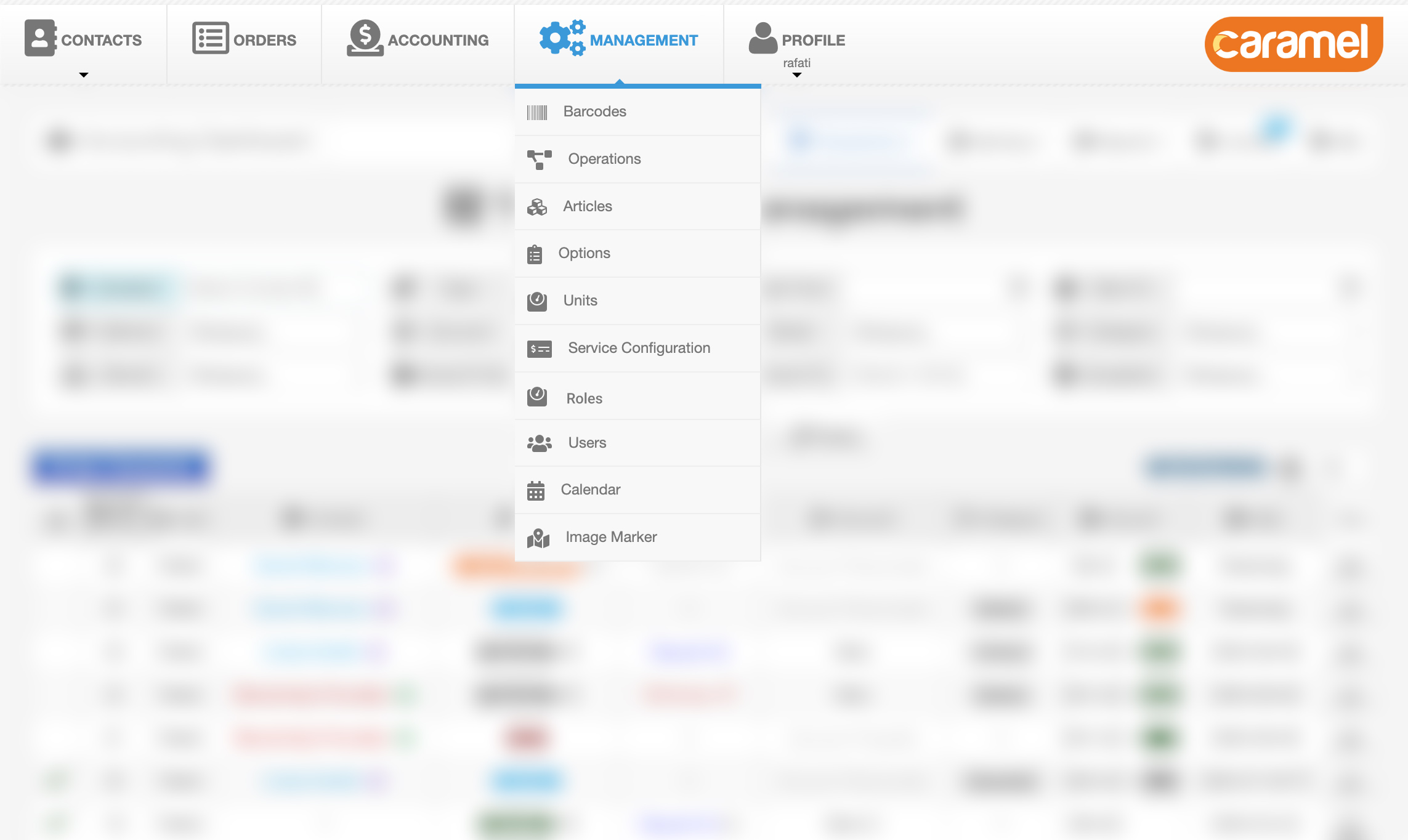
Available Modules
The Management section includes configuration modules such as: Barcodes, Articles, Options, Operations, Calendar, Service Configuration, Containers, Units, Roles, Users, SMS, Image Marker
Each module has its own page with more detailed instructions.
Default Configuration vs Initial Setup
Many modules already include default settings based on the selected business type. This helps reduce setup time and allows Caramel to be used more quickly in standard scenarios.
However, some modules usually need to be reviewed and configured specifically for your business during the initial setup.
Modules that usually require your attention
- Roles for defining responsibilities and access levels
- Users for creating system users and assigning roles
- Containers for defining storage locations and their capacities
These modules are usually part of the first setup phase and should reflect your actual workflow and team structure.
Service Configuration
Core SetupOne of the most important modules in this section is Service Configuration.
This module is used to define operational and pricing rules, including:
- prices
- discounts
- SLA values
- estimated cost
- processing duration
Service Configuration works like a matrix that connects Articles and Options with Operations.
In general:
- rows represent Articles and Options
- columns represent Operations
This structure allows Caramel to determine how each service combination should behave, how much it should cost, and how long it should take.
Before changing Service Configuration, make sure the related modules such as Articles, Options, and Operations are already defined correctly.
Why This Section Matters
The Management section is where most system-level behavior is controlled. Even when default values are available, the final configuration should still match your business rules, workflow, pricing model, and staff permissions.
Because many other parts of Caramel depend on these settings, changes made here can affect day-to-day operations across the system.
Recommended Approach
ImportantInitial configuration is strongly recommended to be handled by the support team.
The available settings in this section are extensive, and some advanced configuration items may not be exposed directly in the user interface. In certain cases, they may be stored in the database or in configuration files.
For that reason, the first setup should be done carefully to avoid incorrect pricing, permission issues, or workflow mismatches.
After the initial setup is completed, most day-to-day adjustments can usually be managed from the related configuration pages.
Related Pages
To continue, review the detailed pages for the modules you need: